Crypto Payment Guide
A simple solution for users who don't have crypto or are unfamiliar with it.
What is a crypto payment?
A crypto payment is essentially a transfer to a specific wallet address. On the payment page, you will be given a unique address and an exact amount. Once the transfer is made, the payment is automatically confirmed.
How it works
You don't need to own crypto beforehand. You can use services that connect your traditional payment methods (Credit Card, Apple Pay, Google Pay) directly to the crypto transfer.
Recommended Platforms
Step-by-Step Tutorial
11. Select Coin & Network
Select your preferred Coin and Network on our payment page. Note down the exact Amount and Wallet Address.
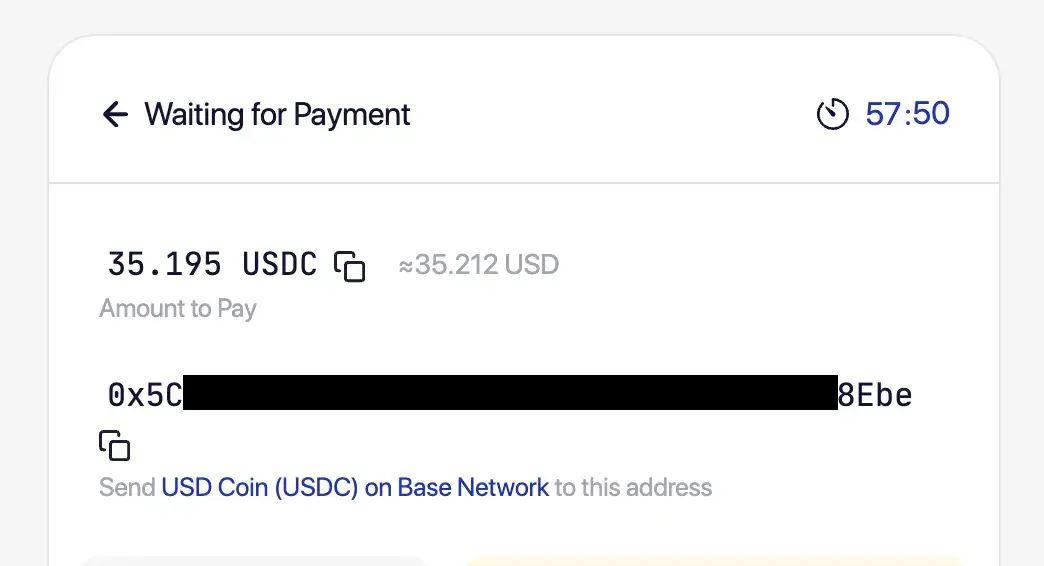
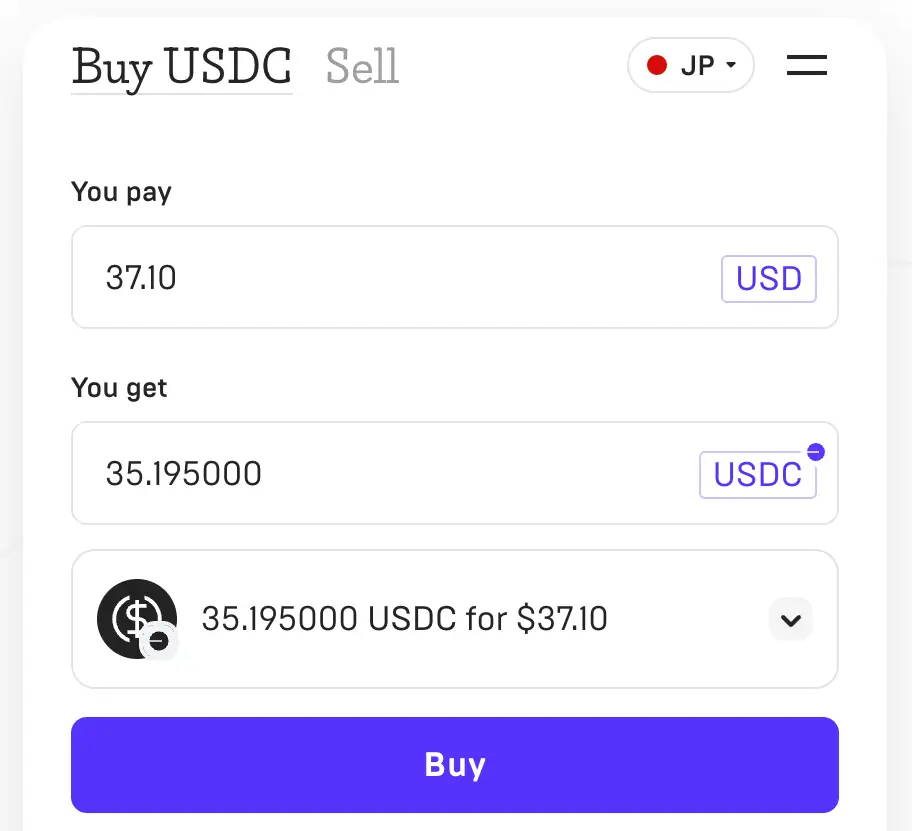
22. Set up the Buy Order
On the quick-buy platform, select the SAME Coin and Network. Input the amount needed. • VPN off: Disable to avoid KYC failure. • Sufficient amount: Ensure the final 'Received Amount' is not less than requested.
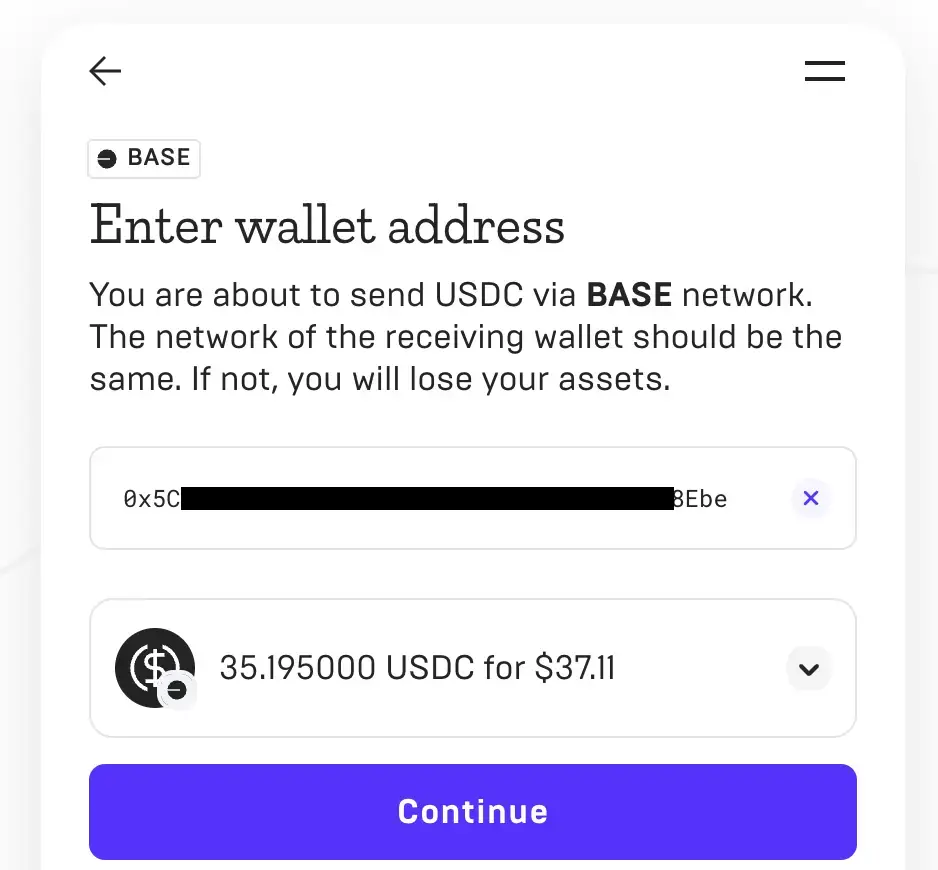
33. Provide Wallet Address
Paste the Wallet Address you copied from our payment page into the 'Recipient Address' field.
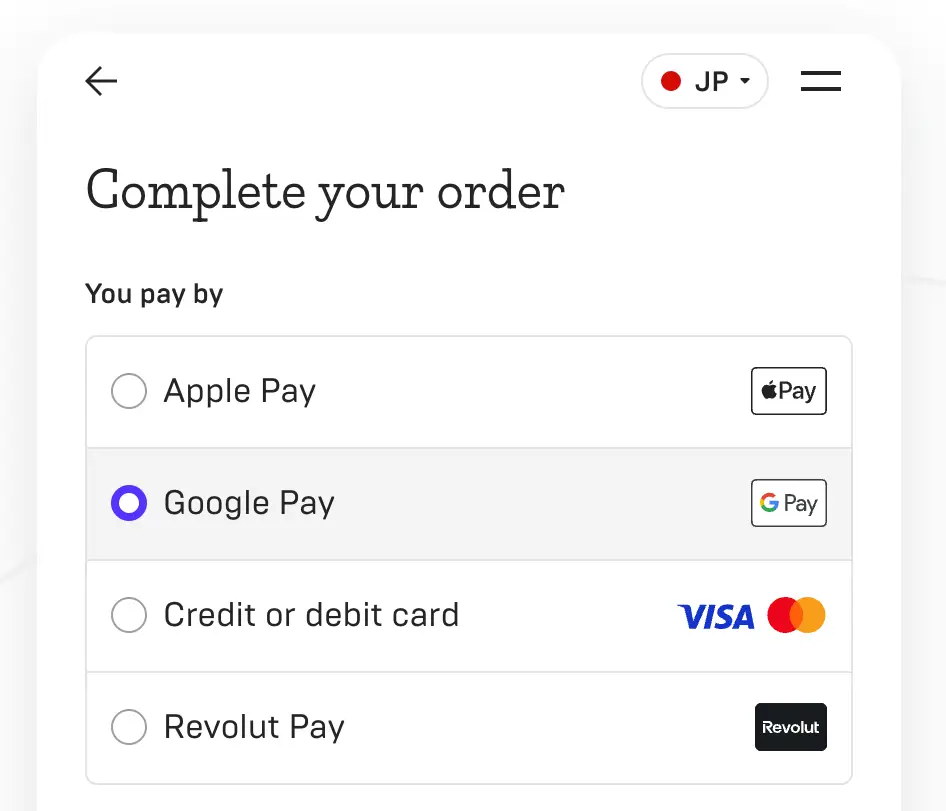
44. Pay and Confirm
Choose your payment method (Card, Apple/Google Pay) and complete the checkout. Note: You may be asked to complete a KYC (Identity Verification).
Card or KYC failed?
If your bank card is rejected or identity verification (KYC) fails on the quick-buy platforms, we recommend using a professional Crypto Exchange. You can deposit funds via bank transfer, buy the crypto, and then withdraw it to the address we provided.
Alternative: Neverless (USDT)
You can also use the Neverless app to pay with Apple Pay or Google Pay via USDT.
View Neverless GuideAlternative: Exchange Top-up
If card on-ramp or app-based payment fails, use the full exchange route with KYC, bank deposit, buy, and withdraw.
View Exchange Guide