Exchange Top-up Guide
A practical beginner path. Follow each step to convert fiat money into crypto and top up your Lourmel points wallet.
Before You Start
- Create or log in to your Lourmel account.
- Generate a wallet address in your profile.
- Prepare your ID document for exchange KYC.
- Prepare a bank card or bank account for fiat deposit.
Step-by-Step Flow
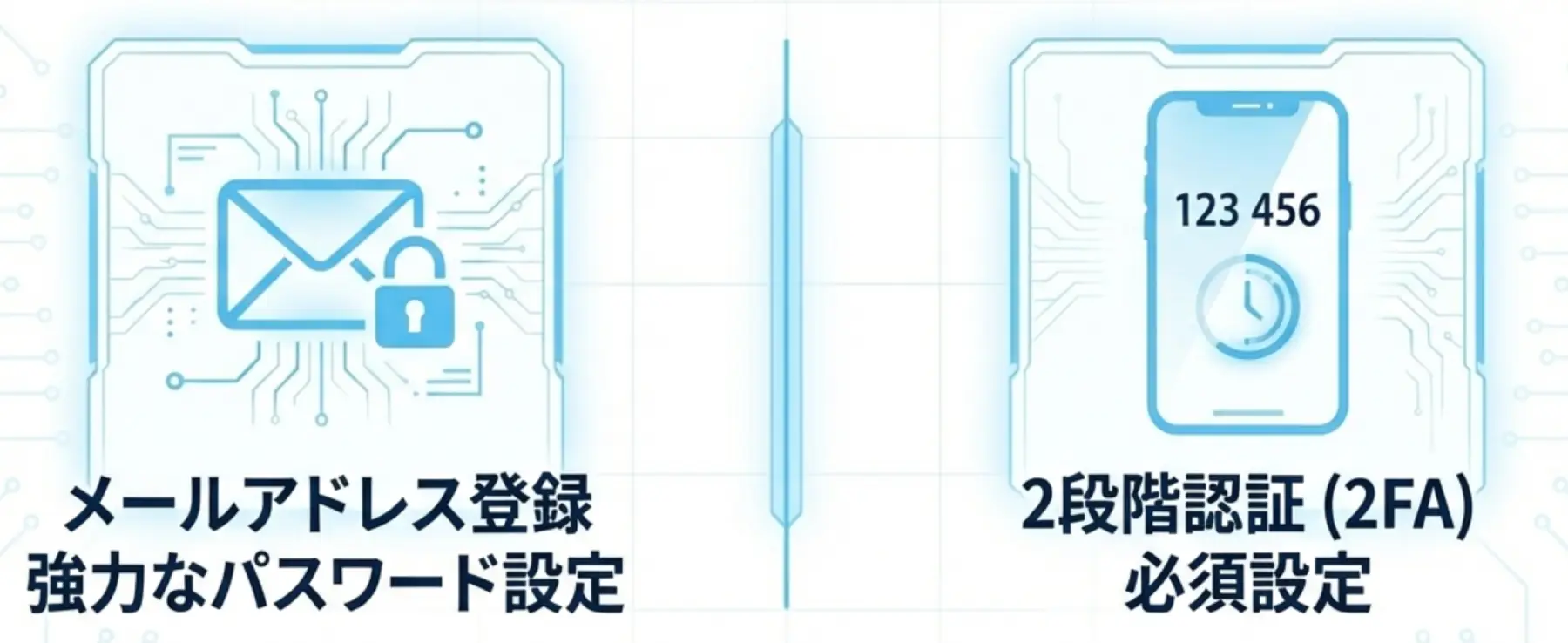
Register an Exchange Account
Pick an exchange and secure your account first.
- Register from the official website or official app.
- Enable 2FA (Authenticator app or SMS).
- Keep account name aligned with your ID information.
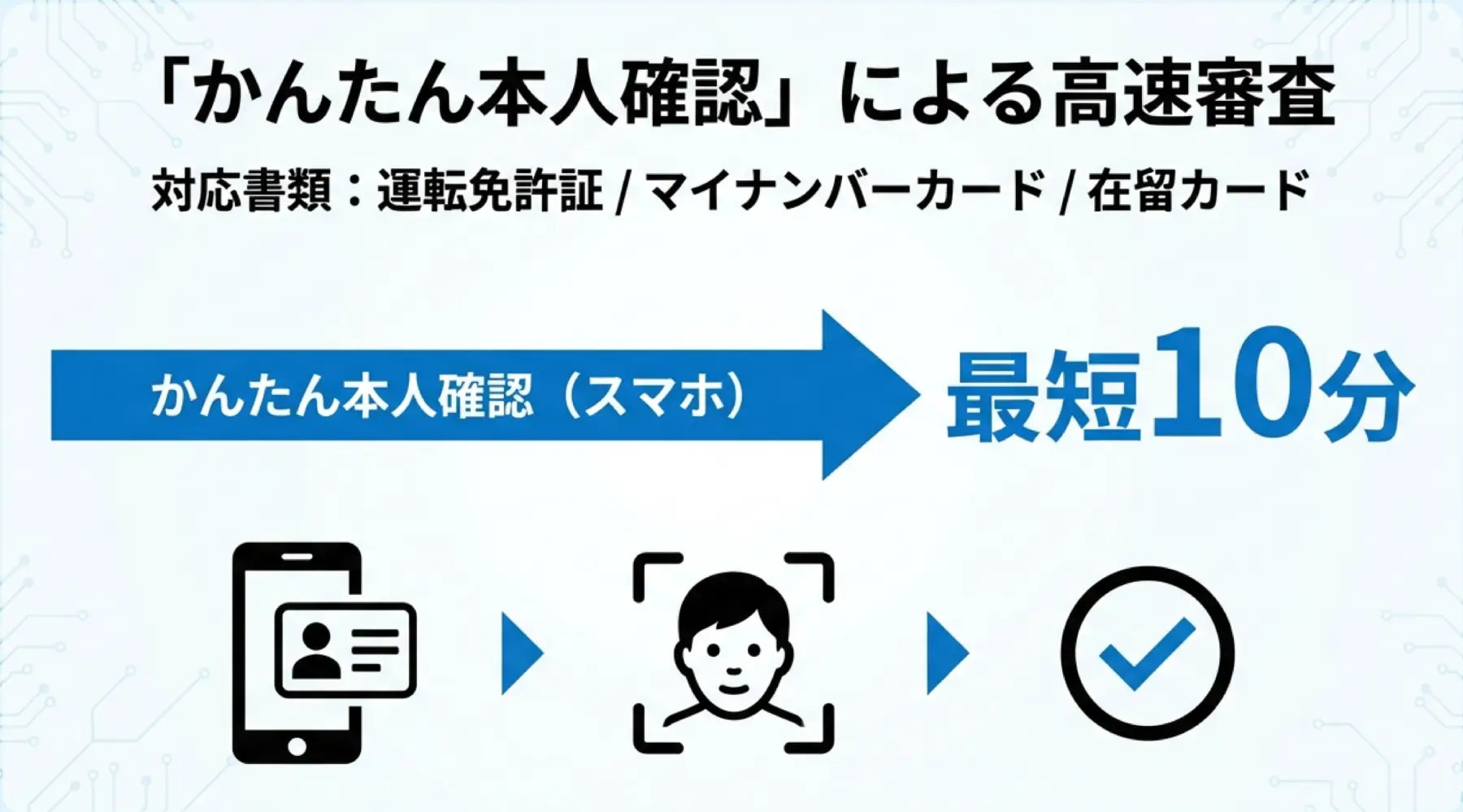
Complete KYC Verification
Most fiat deposits and withdrawals require KYC.
- Upload ID photos and complete face verification.
- Submit personal details as requested by the exchange.
- Wait for approval before deposit and withdrawal actions.
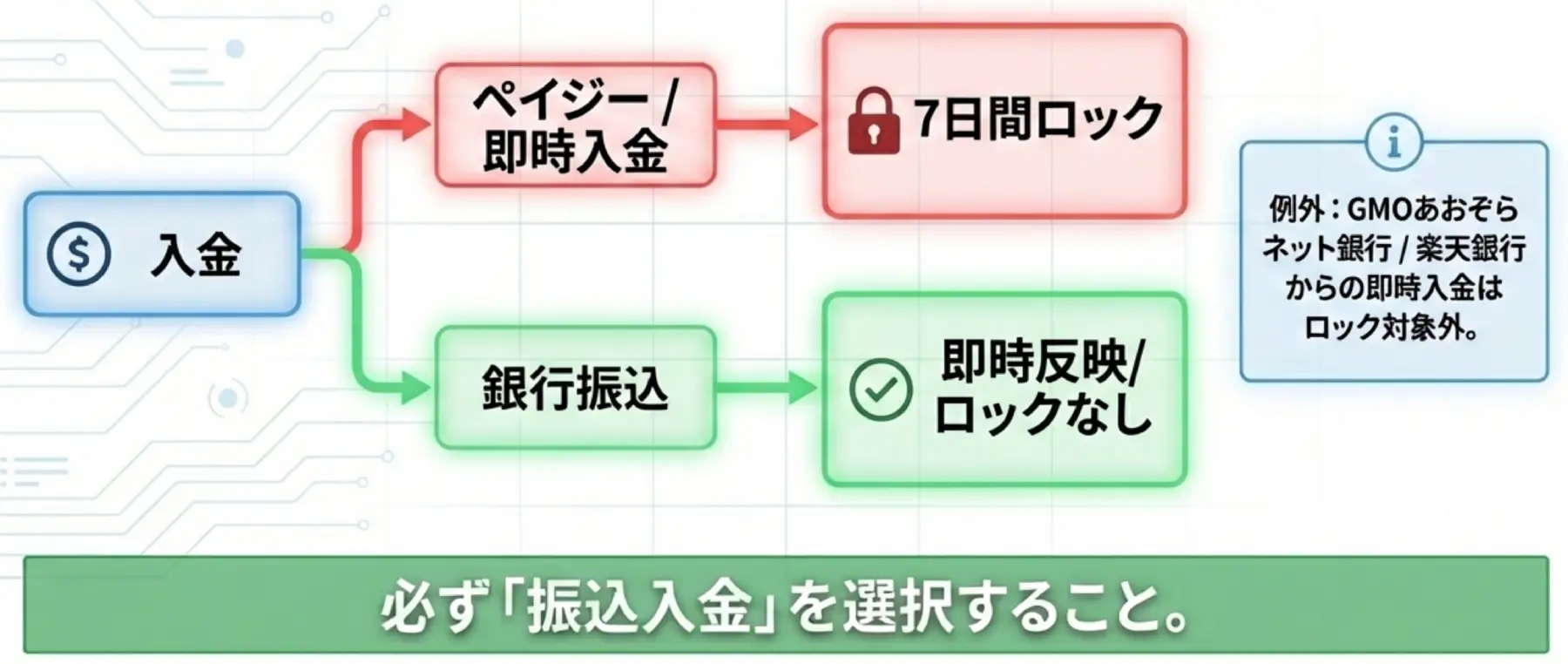
Deposit Fiat
Fund your exchange account with your local currency.
- Open Deposit / Fiat Deposit in the exchange.
- Use card payment or bank transfer.
- Check minimum amount, fees, and settlement time.
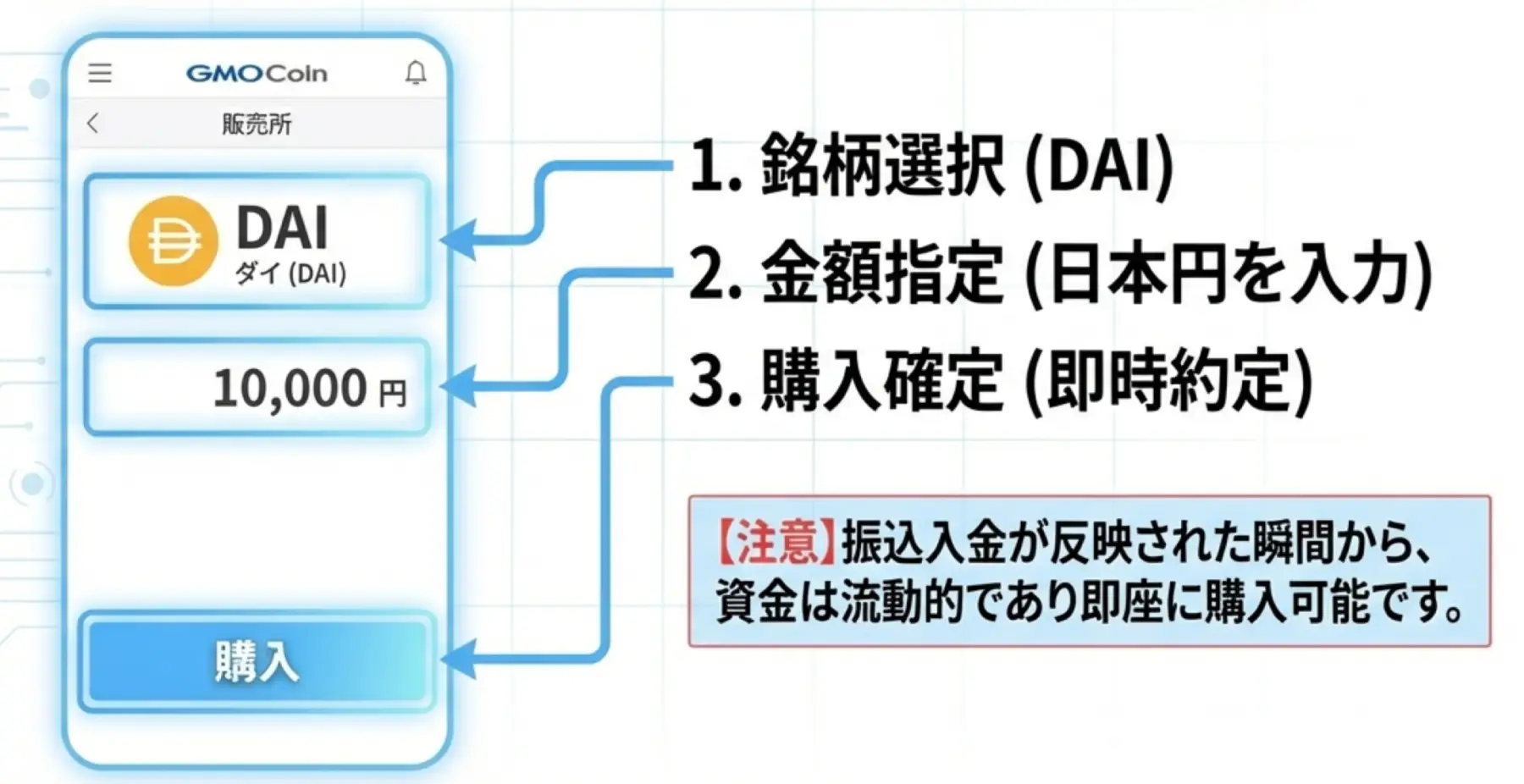
Buy the Matching Coin
Buy the exact coin that matches your Lourmel recharge setup.
- Buy the target coin (for example, USDC).
- Confirm your target network is supported for withdrawal.
- Buy slightly more than needed to cover withdrawal fee.
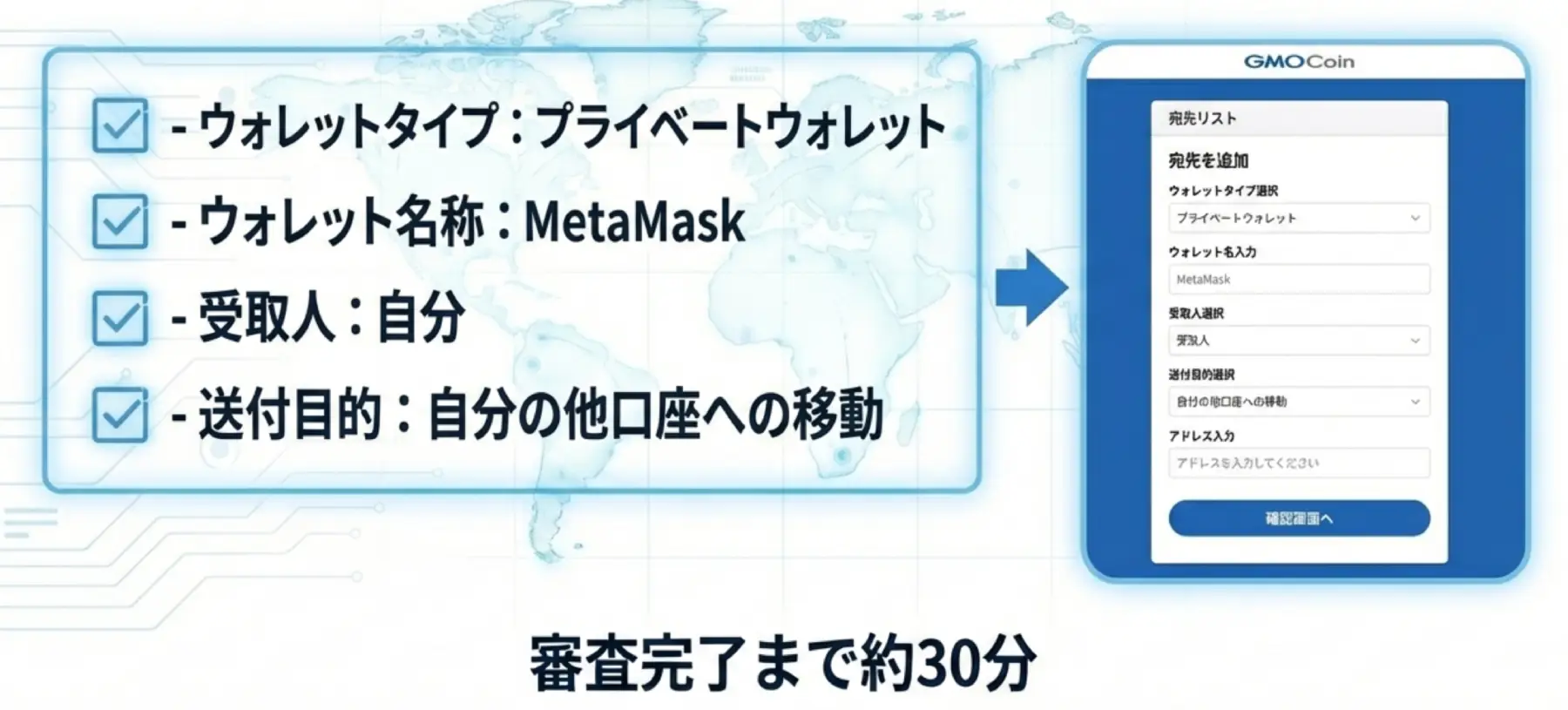
Register Recipient Address (Travel Rule)
Japanese exchanges commonly require recipient registration before withdrawals.
- Open Address Book / Recipient Management.
- Add a new recipient and paste your Lourmel recharge address.
- Select the correct network and complete 2FA/email confirmation if requested.
- Wait for approval (commonly around 30 minutes, varies by exchange).
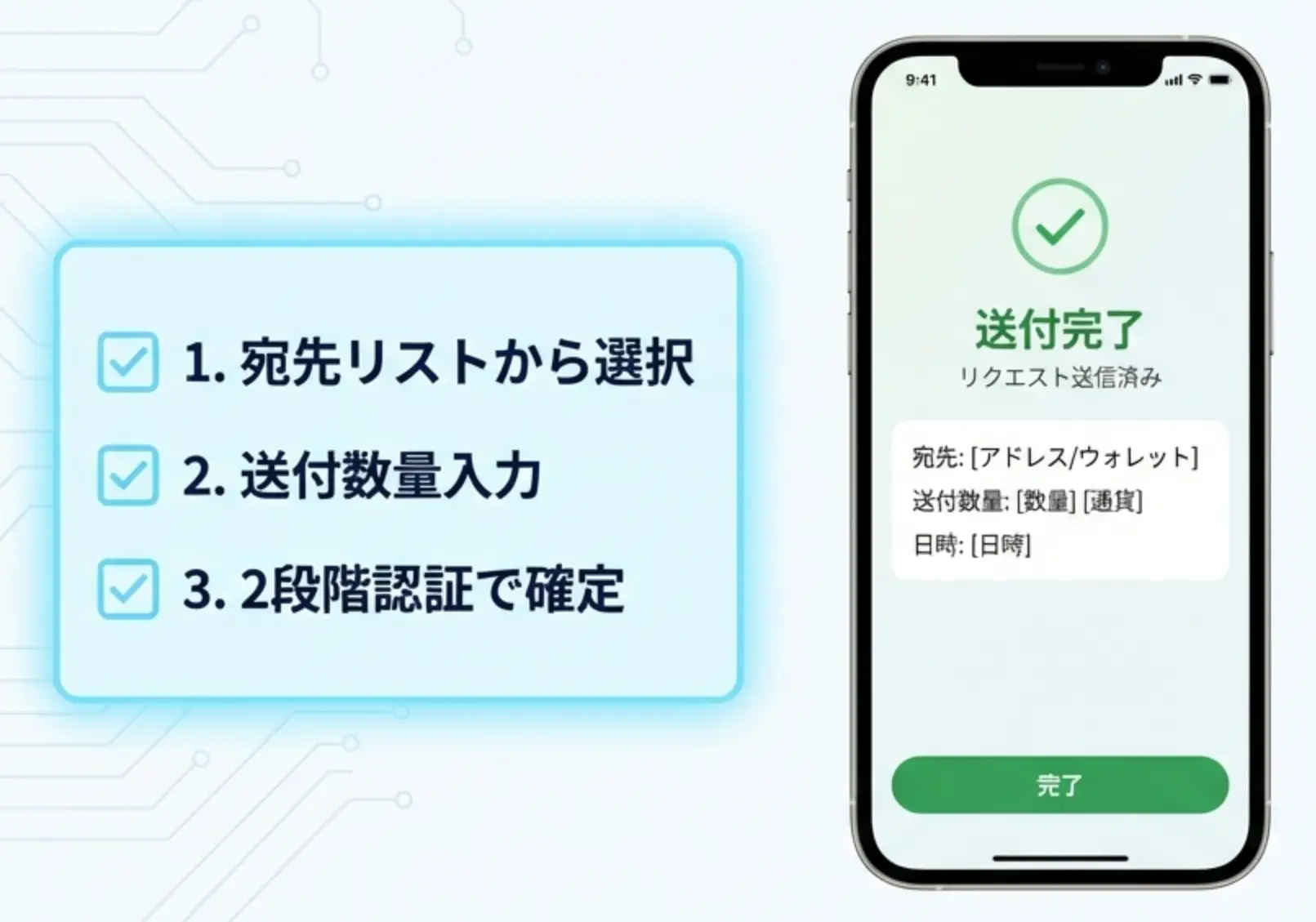
Withdraw to Your Lourmel Wallet Address
Final step: send crypto from exchange to your Lourmel recharge address.
- After recipient approval, open Withdraw and choose the registered address.
- Select the exact same network again.
- Submit withdrawal and wait for chain confirmations.
- Refresh profile and verify points credit.
Popular Exchanges
Japanese exchanges first, then global exchanges. Full route: register → online identity verification → deposit → buy → recipient registration → withdraw.
Direct Card On-ramp (Fallback)
Aligned with all options shown on /recharge (including Paybis). Fast setup, but card approval rate is often lower than exchanges.
FAQ
Start Now
Generate your recharge address first, then follow the 6 steps above.